FYI Integration
The Waive + FYI integration allows agents to automatically push documents collected through Waive directly into FYI Docs, keeping your client files organised and eliminating manual downloading and uploading.
How to connect the 2 platforms together:

Please note - only the account owner has access to the FYI settings.
Step 1: In Waive, go to:
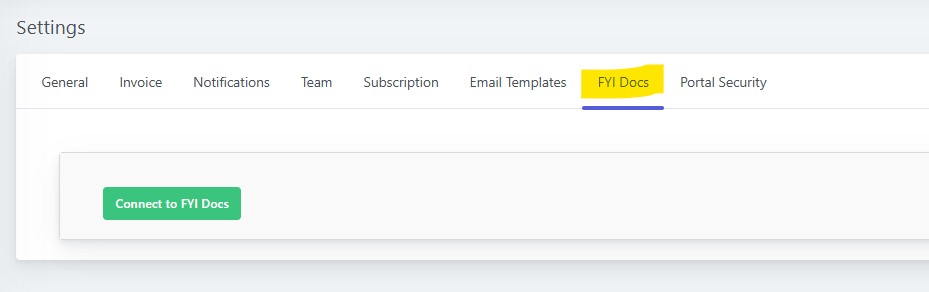
Settings → FYI Docs tab, and press to 'Connect to FYI Docs':
Step 2: Add in your FYI credentials:

To get your API keys:
- Log in to your FYI account
- Go to Automation → Apps → type to search for the Waive app.
- In the Waive app. press the settings icon, which will open a pop up with the 2 keys you need to copy and paste into Waive.

Once connected, all users that have their notifications enabled (via the User Profile menu) will receive an email informing them of the below:
1 - When the connection between FYI and Waive has been established and connected.
2 - If the connection between FYI and Waive has been disabled.
3 - If there are any documents that cannot be synced into FYI from Waive and any error messages.
1 - When the connection between FYI and Waive has been established and connected.
2 - If the connection between FYI and Waive has been disabled.
3 - If there are any documents that cannot be synced into FYI from Waive and any error messages.
Step 3: Select your preferred settings, along with which cabinets to map the documents into, and press 'apply' to save the configurations:
Scroll down to view more detailed data.
Sync Statistics
Here you can see a summary of the documents that you have in Waive and their statistics in terms of them being synced to FYI:
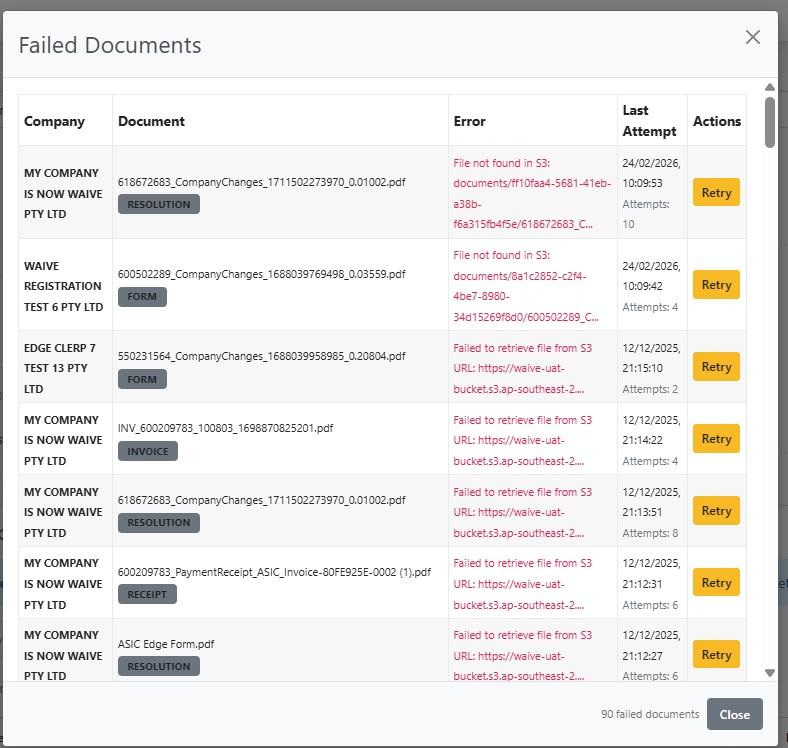
If there are any documents that have failed to sync to FYI, you will be able to click on the number in red to view more details:
When you click on the red number of failed documents, this will enable a pop up to show you the name of the company, the type of form, what error is causing it to not sync, the last attempt to sync the document, and a button for you to re-try syncing the document to your FYI again:
Auto-Sync All Companies
Auto-Sync All Companies
This is where you can select specific (or for all) companies to either be; automatically synced to FYI or not synced at all, and you can view how many documents exist for that company, and whether they have been synced or not - ie document sync statistics.

Helpful Hints:
- You can use the search bar to search and view a specific company.
- You can select all companies to automatically sync by ticking the box at the top that states ' Sync all active ASIC companies'
- You can use the search bar to search and view a specific company.
- You can select all companies to automatically sync by ticking the box at the top that states ' Sync all active ASIC companies'
You can view the status of Forms and Invoices that have been synced to your FYI account directly in Waive via the FYI synced column:

With Forms - they will be automatically synced to FYI after they have been approved by ASIC.
With invoices - both ASIC issued and agent issued - are automatically synced to your FYI: